
Homestyler now supports Environment Fog, which simulates natural fog to add depth and atmosphere to outdoor scenes. Use it to create clearer separation between foreground subjects and distant scenery or to build an immersive misty environment.
Note: Enabling Environment Fog increases rendering time. We recommend rendering at 1K first to preview the effect before rendering at higher resolutions.
Access Environment Fog
Open the rendering interface, select Advanced in the left panel, and enable Environment Fog.
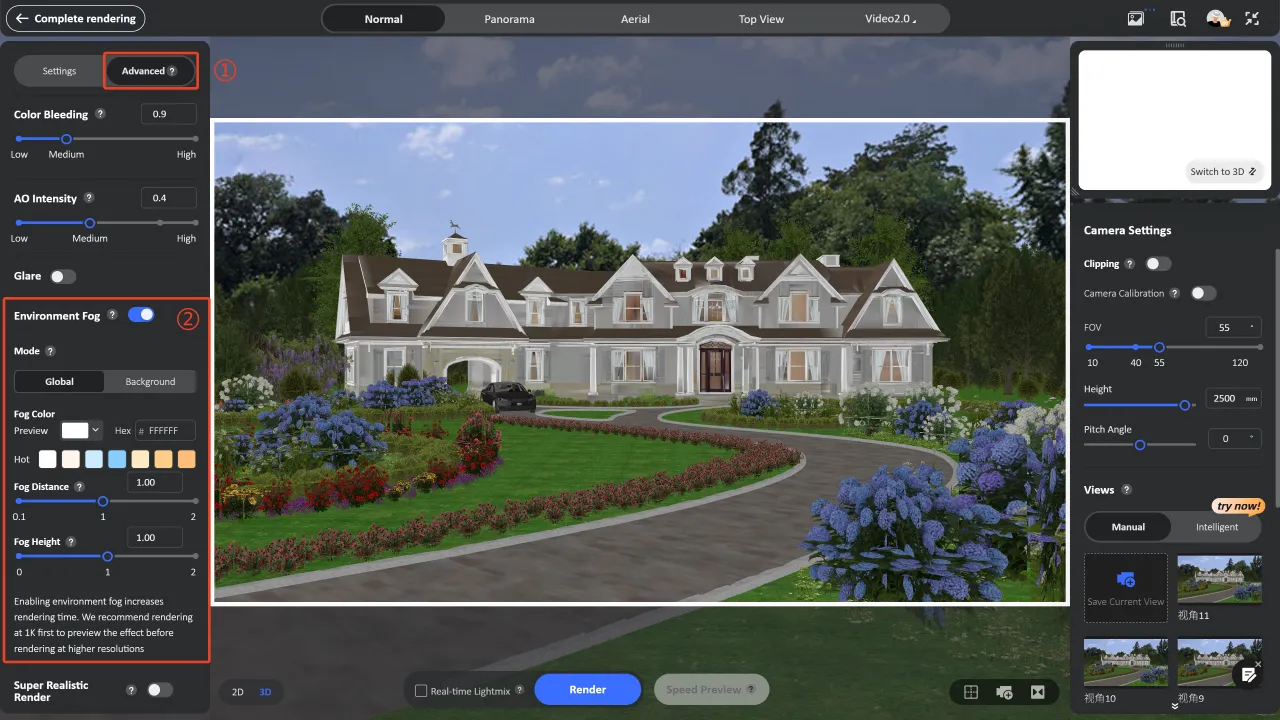
Environment Fog Settings
1. Select a Mode
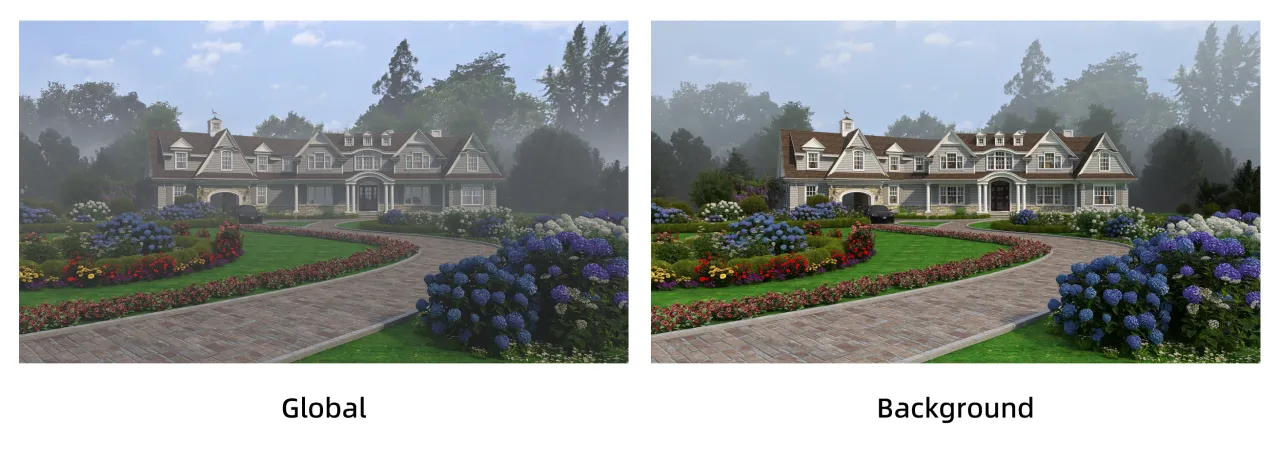
Environment Fog provides two modes :
- Global: Fog begins at the camera position and extends forward across the entire scene. Use this mode to create an overall misty, overcast, or dense-fog atmosphere.
- Background: Fog appears behind the main building. This keeps the foreground architecture and landscaping clear while adding soft, atmospheric depth to distant mountains, trees, and other background elements.
2. Set the Fog Color
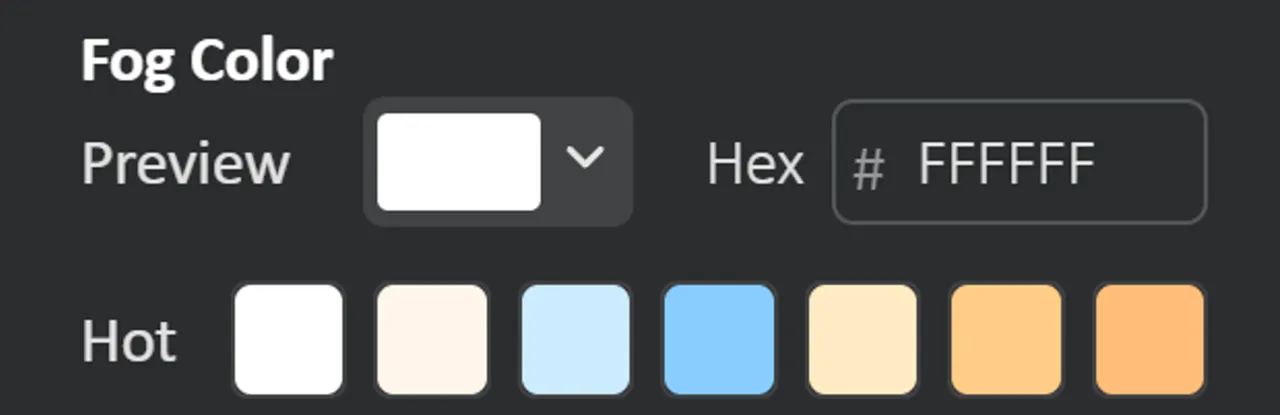
Use Fog Color to adjust the overall color of the fog :
- Custom color: Click the color swatch next to Preview to select a color, or enter a Hex value for precise control.
- Hot presets: Select one of the preset color swatches under Hot to apply it instantly.
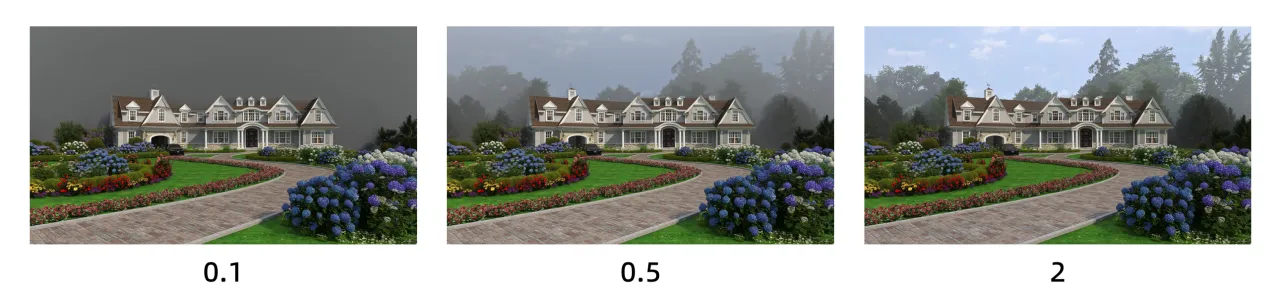
3. Adjust the Fog Distance
Use Fog Distance to control where the fog begins. A higher value moves the fog farther away and keeps more of the foreground clear.
- Global mode: Adjust the distance between the fog and the camera.
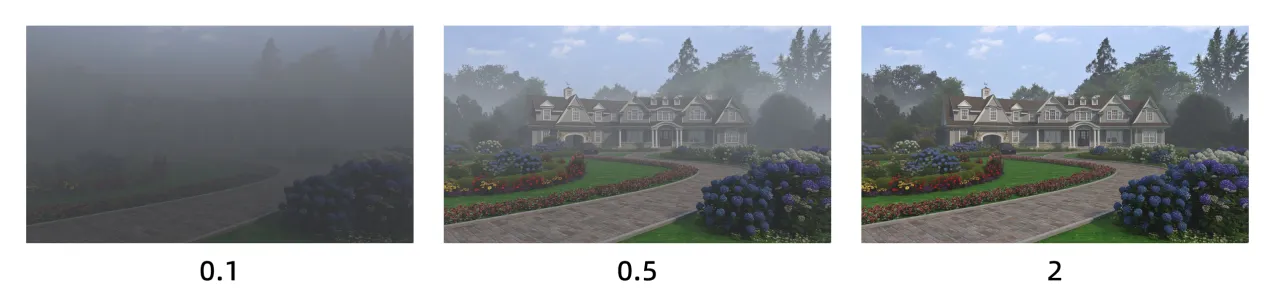
- Background mode: Adjust the distance between the fog and the house.
4. Adjust the Fog Height
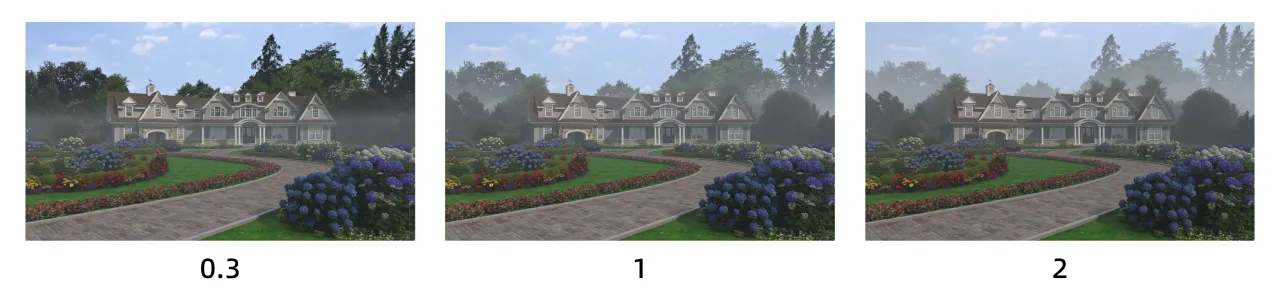
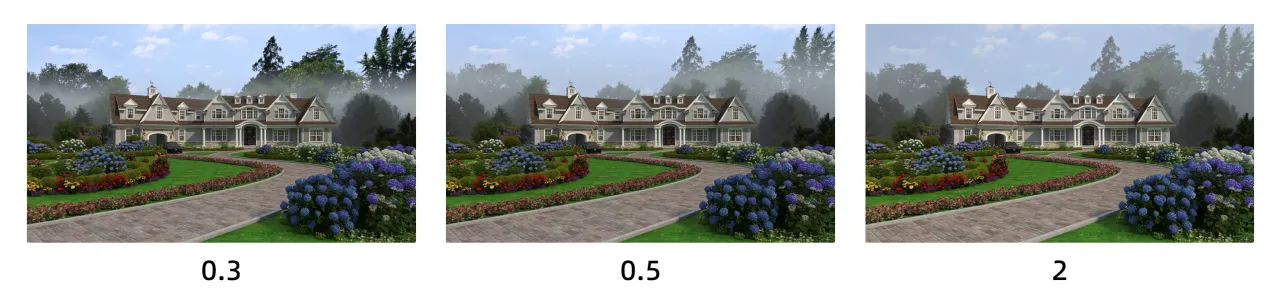
Use Fog Height to control the vertical coverage of the fog:
- Lower values: Keep the fog close to the ground, creating effects such as morning mist or low woodland fog while leaving the upper part of the building and the sky relatively clear.
- Higher values: Extend the fog upward to cover more of the scene, making it suitable for overcast weather, mountain environments, or dense-fog effects.
- Fog Height in Global Mode
- Fog Height in Background Mode
Combine the mode, color, distance, and height settings to suit your scene and create a more natural, layered atmosphere for outdoor environments.
