This doesn't work now, how do I change to metric? There's no preferences
@ Homestyler support
Hi,
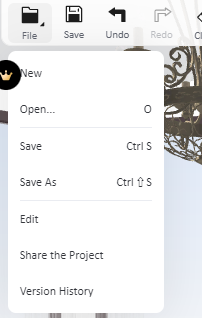
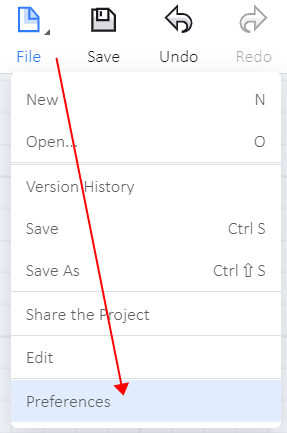
You could change the measurement unit between mm/cm/m and ft through "File - Preference - Measurement Unit" in the top navigation bar in the design interface of floor planner.
Hi,
Need more detail for the thicker types like I.
Most basic story is:
If you opening a new project the set-up asks for your option..
OR
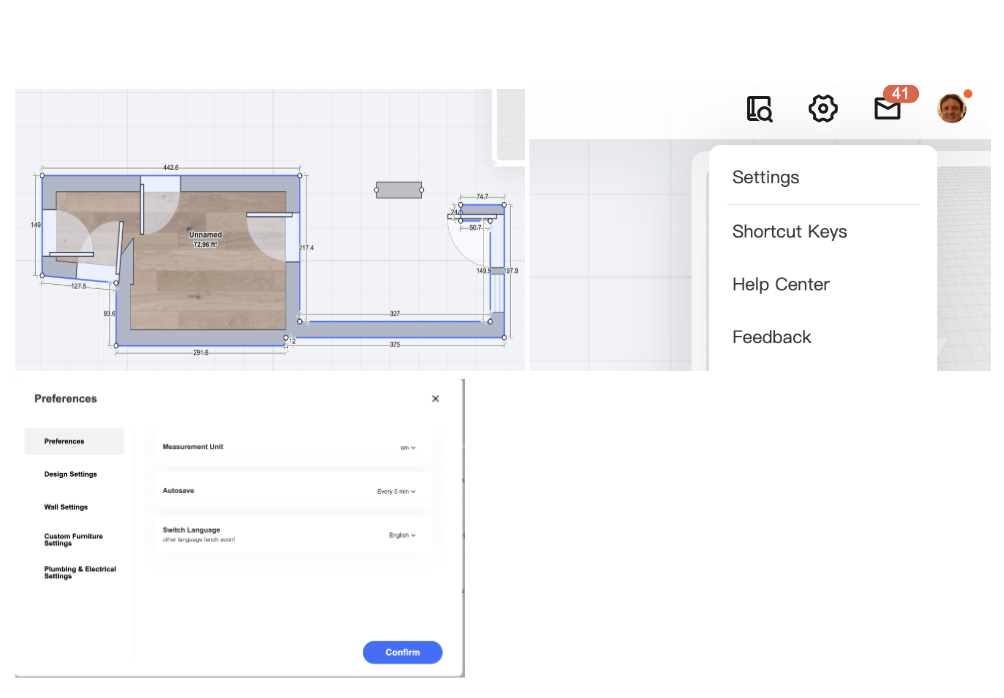
If you are in a project that you want to convert to metric and you want to change to imperial; you need to have a project with the structure selected and click on the cog and it brings up my preferences page one of which or the first is your desire of metric or imperial.
Cheers all the best, Guy
Hi,
You could change the measurement unit between mm/cm/m and ft through "File - Preference - Measurement Unit" in the top navigation bar in the design interface of floor planner.