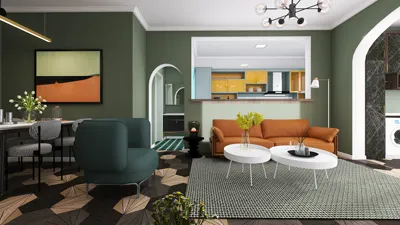


As technology evolves with innovations like the new iPhone, our homes adapt to these changes by integrating smarter, more efficient living spaces. Charging stations seamlessly embedded into bedside tables or living room consoles reflect how device usage influences furniture design. This fusion of tech and home comfort enhances daily routines, blending sleek aesthetics with functional space planning to support our connected lifestyles. Homestyler, for instance, exemplifies this integration by enabling users to design interiors that accommodate such modern conveniences effortlessly.
Homestyler is a versatile and user-friendly floor planning tool that empowers both novice and professional interior designers to craft detailed, lifelike home layouts effortlessly. Whether you're redecorating a single room or designing a new home, this software provides all the necessary features to bring your vision to life in 3D. Its intuitive drag-and-drop interface makes placing furniture and fixtures straightforward, allowing for seamless experimentation with various arrangements. The extensive library of models can be customized further by importing personal items to truly personalize your space. Moreover, Homestyler enables precise room dimension adjustments, ensuring your designs are not only visually pleasing but also practical and functional.
One of the key strengths of Homestyler lies in its dynamic 3D visualization capabilities. Users can easily toggle between 2D floor plans and immersive 3D views, offering a comprehensive understanding of spatial relationships and lighting effects within their designs. This visual flexibility is crucial for appreciating how elements interact in a real environment. Furthermore, the software supports high-definition rendering to produce impressive visual presentations of your projects. Sharing your designs is simplified too, with options to export in multiple formats or generate walkthrough videos to showcase your work to clients, friends, or family.
For those new to interior design, Homestyler also offers educational resources and a vibrant community, fostering continuous learning and creativity. The platform consistently updates with fresh features and models, reflecting the latest trends and technological integrations. This ensures that users remain inspired and equipped with cutting-edge tools for their design endeavors.
Whether you're an amateur looking to revamp your living space or a professional architect seeking a reliable visualization aid, Homestyler delivers the flexibility and power necessary for diverse design needs. Its rich assortment of furniture models, combined with an accessible interface and advanced visualization tools, makes it a valuable resource to elevate any interior design project. Embracing Homestyler can transform how you approach home design, encouraging exploration and innovation.
Tips for Using Homestyler:
1. Get acquainted with the platform's layout and tools to maximize your design efficiency. 2. Try different furniture placements to find the optimal configuration for your space. 3. Regularly switch between 2D and 3D views to gain a realistic perspective on your layout. 4. Engage with the Homestyler community through forums and social media to exchange ideas and receive feedback. 5. Continuously enhance your skills by exploring tutorials and design articles available within the platform.
FAQ
What is Homestyler used for? Homestyler is designed to help users create and visualize interior layouts by arranging furniture and designing floor plans in 2D and 3D.
Is Homestyler free to use? Yes, Homestyler offers a free version with core features and tools accessible to all users.
Can I personalize my Homestyler designs with custom furniture? Absolutely. Users have the option to import their own models to add unique touches to their projects.
Does Homestyler support both 2D and 3D views? Yes, the software allows switching between floor plan views and immersive 3D perspectives to better visualize how designs function in real environments.
Is Homestyler beginner-friendly? Indeed, with its easy-to-navigate interface, tutorials, and an active support community, it’s well-suited for users new to interior design.
What began as an Autodesk innovation has evolved into a design platform used by more than 18 million people around the globe. Homestyler combines powerful rendering, an intuitive editor, and a vast furniture library to help you turn inspiration into photorealistic designs — whether you're redesigning a single room or planning an entire home.

Black RGB Gaming Laptop 3D Model

Modern Marble Top Black Metal Round Side Table 3D Model

Modern Minimalist Black Metal Wood C Shape Side Table 3D Model
Homestyler is an easy-to-use online home design platform featuring powerful 3D rendering, a vast collection of interior design projects, and helpful DIY video tutorials. It’s ideal for bringing your home ideas to life with stunning visualizations and creative inspiration.
Дизайн сейчас бесплатно
































