


Transforming pictures into 3D printed models is a fascinating endeavor that merges photography with advanced technology. Have you ever considered how a mere photograph can metamorphose into a real-world object? The secret lies in several critical steps that convert those images into a 3D format.
Initially, you'll want to choose the right software for your 3D modeling project. Some of the most popular options include Blender, Tinkercad, and Autodesk 123D Catch. Each platform features intuitive interfaces suitable for both novices and seasoned designers. After selecting your software, import your image and prepare for the exciting conversion process.
Preparing Your Image for 3D Modeling
To begin crafting a 3D printed model from a photograph, the first step is image preparation. Opt for a high-resolution image that clearly shows the object or scene you intend to recreate. A minimal background is crucial to prevent unnecessary distractions. Once you have your selected photo, enhance its clarity and contrast using photo editing software like Photoshop.
After your image is edited, save it in a format that is compatible, usually PNG or JPEG. Then, import the image into your chosen 3D modeling software. Most of these programs come with tools that assist in tracing the outlines of your image to create a foundational shape.
Techniques for 3D Modeling
Once your image is imported, it’s modeling time! Utilize the tools in your software to enhance details based on the original image. You can extrude, carve, and tweak the shape to add dimension, preparing it for 3D printing. If this phase feels daunting, plenty of online tutorials are available to walk you through methods like sculpting and texturing.
Ensure you frequently check your model from different angles to verify that it accurately reflects your source image. This practice is vital as it helps spot any areas needing adjustment, ultimately improving the final product.
Exporting and Printing Your 3D Model
After achieving satisfaction with your 3D model, it’s time to export it for 3D printing. The majority of 3D printers require files to be in STL or OBJ formats. Make sure that your model is optimized for printing; this includes checking for potential issues such as non-manifold edges or holes in the mesh. Tools like Meshmixer or Netfabb can assist in fixing your model before printing.
You’re now ready for printing! Choose your preferred material, typically PLA or ABS filaments, and adjust your printer settings for layer height and filling to achieve the ideal finish. Keep an eye on the printing process to ensure everything goes without a hitch, and before long, you’ll hold your 3D printed model in your hands!
Common Questions
A: For beginners, Tinkercad is a fantastic option due to its easy-to-navigate interface. For those looking to explore deeper capabilities, Blender offers extensive features.
A: Certainly! You can apply photogrammetry techniques to produce a 3D model from multiple images captured at various angles of the same object.
A: The formats most widely utilized include STL and OBJ, both of which are compatible with the majority of 3D printers available today.

Minimalist Fabric Loveseat Sofa with Black Metal Legs 3D Model
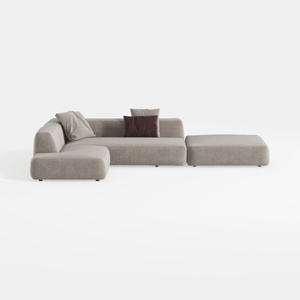
Minimalist Fabric L Shaped Sectional Sofa with Ottoman 3D Model

Minimalist Fabric L Shaped Sectional Sofa 3D Model
Homestyler is your ultimate home design companion! With its user-friendly online design tool, stunning 3D renderings, and a wealth of design projects and video tutorials, transforming your space has never been easier. Create beautiful interiors with confidence, whether you're a novice or a pro!
Дизайн сейчас бесплатно
































