


Minimizing the size of a 3D model is essential for effective sharing, quicker rendering, and smooth integration into different design processes. Start by identifying and removing unnecessary elements—tidy up the mesh by deleting redundant vertices, edges, and faces that don’t significantly affect the overall look. Consider simplifying the geometry through decimation (polygon reduction) and utilizing lower-resolution textures to make a notable impact. Choose more efficient file formats like .glTF or optimized .OBJ which provide improved compression and compatibility across different platforms. Moreover, compress texture maps and opt for external references for repeated assets to avoid duplicating them within the file. As an interior designer, I always recognize how a modest model size can boost visualization speed and presentation quality. When organizing your projects—especially those involving complex room configurations or multi-space environments—using streamlined files facilitates easier collaboration and enhances rendering performance in sophisticated tools such as Homestyler, ensuring smooth design iterations.
Optimizing Strategies
Before you export your 3D model, verify if your design software has built-in optimization plugins or settings. Many applications come with features like "clean up" or "optimize mesh" that automate a significant portion of this process. Additionally, exporting in contemporary formats often provides compression options; be sure to select these to further decrease size.
Common Questions
Q: Does reducing the file size of a 3D model compromise its visual quality?
A: If approached with care, using mesh decimation and texture compression, the impact on visual quality can be minimal and often imperceptible for interior design presentations.
Q: What are the best file formats for efficient, high-quality 3D models?
A: Formats such as .glTF and .FBX achieve a good balance between size and quality, accommodating advanced features while effectively compressing data.
Q: Is merging multiple objects into one beneficial for reducing file size?
A: Certainly; consolidating objects can lower the amount of metadata and duplicate elements, leading to a decreased total file size.
Q: Are there web-based tools available for compressing 3D models?
A: Yes, a variety of online platforms allow you to upload and optimize your 3D model, simplifying meshes and compressing textures before you download the smaller file.
Q: How much does texture size influence the overall size of a 3D model?
A: Definitely; high-resolution textures are typically the largest contributors to file size. Compressing or reducing the resolution of textures can greatly reduce your model’s footprint.
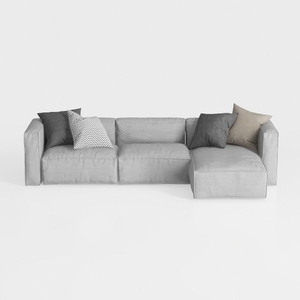
Minimalist Light Gray Fabric L Shaped Sectional Sofa 3D Model

Minimalist Boucle Curved Sofa 3D Model

Discover the magic of home design with Homestyler! This user-friendly online platform offers an intuitive design tool, stunning 3D renderings, and a treasure trove of design projects and DIY video tutorials. Bring your vision to life effortlessly and transform your space today!
Дизайн сейчас бесплатно
































