


As technology continues to evolve, the desire to seamlessly integrate devices like the iPhone Ultra into our daily routines inspires new approaches to home design. Creating dedicated charging stations or stylish storage nooks enhances functionality while keeping living spaces organized. Thoughtful spatial planning now embraces tech-friendly furniture that supports both convenience and aesthetic appeal in modern interiors. Using tools like Homestyler, homeowners can visualize these integrations and optimize their interiors effectively.
Executive Summary
AI tools designed for open floor plans generate room layouts that blend living, dining, and kitchen areas into a cohesive, continuous environment. Instead of manually designing each furniture group and traffic flow, you simply specify the zones, measurements, and furniture intentions, and the AI delivers modifiable 2D and 3D layouts ready for adjustment. This article explains the technology’s capabilities and limitations, preparation for inputs, a practical step-by-step guide, and essential quality assessments before relying on any AI-generated open floor plan. The aim isn’t a polished final design with a simple click but a strong, editable foundation that saves hours of layout experimentation.
Understanding Open Floor Plan AI
Open floor plan AI is a layout generator specialized in multi-zone residential spaces where partitions between kitchen, dining, and living areas are intentionally omitted. Unlike single-room AI that focuses on one enclosed space, this AI simultaneously considers zone adjacency, visibility lines, movement flow, and furniture arrangements across multiple interconnected areas.
Typically, these tools utilize a blend of constraint-based optimization alongside machine learning models trained on thousands of authentic floor plans. The AI recognizes practical design standards, such as positioning a kitchen island facing the living area rather than a blank wall, ensuring dining tables have enough clearance, and arranging sofas to visually separate living and cooking zones. After defining your parameters—room dimensions, zone types, furniture preferences—the AI evaluates numerous layout options to highlight the most functionally effective solutions.
However, the AI doesn’t inherently understand individual family habits, scenic views from windows, or sunlight patterns throughout the day. Nor does it validate structural soundness, building regulations, or construction-grade measurements. Those critical responsibilities remain with you or a qualified professional reviewing the outcomes.
When to Use This Workflow
Open floor plan AI proves most beneficial during early planning and conceptual design phases and shouldn’t be considered a full substitute for architectural documentation. It's particularly helpful for:
This process is less ideal for projects demanding precise structural coordination, code-compliant construction plans, or integration of mechanical, electrical, and plumbing (MEP) systems. In such scenarios, treat the AI’s output as a preliminary concept that must be refined by experts.
Essential Inputs You Need to Prepare
The accuracy of AI-generated open floor plans directly depends on the clarity and completeness of the inputs you provide. Ambiguous prompts often result in generic layouts that might seem plausible but fail under detailed scrutiny. Providing structured, detailed inputs yields layouts that are workable and meaningful.
Step-by-Step Design Process
Assuming the AI tool supports multi-zone, open-plan designs with adjustable outputs, follow this progressive approach, where each phase builds upon the last.
Quality Verification Before Finalizing Layouts
Even highly convincing AI-created open floor plans can conceal issues that only emerge after furniture delivery or structural modification. Conduct the following assessments before committing to a design:
Relation to AI Layout Generation Technology
Open floor plan AI is a targeted application within the broader field of AI-driven room layout planning. While general AI layout generators handle single rooms or entire homes, this specialized version concerns zoning without physical walls, creating implied living, dining, and kitchen areas through curated furniture groupings.
This matters because the same constraint-based engine used for bedroom or office layouts can be tuned for open-plan zoning tasks. If you’ve worked with generic room layout AI before, the open floor plan process extends that knowledge by managing multiple interconnected zones at once, emphasizing adjacency criteria and flow management.
From Layout to Complete AI-Enhanced Home Design
Once your open floor plan design is edited and validated, the natural next step is to bring the concept to life as a fully furnished and styled interior. Tools like Homestyler empower you to apply finishes, lighting, and decor to create photorealistic renderings. This transition from schematic layout to immersive visualization helps you assess your zoning decisions under true-to-life lighting, color schemes, and surface materials—elements that layout AI doesn’t optimize but heavily influence spatial ambiance.
Frequently Asked Questions
Can AI for open floor plans replace interior designers or architects?
Not at all. AI speeds up early-stage layout ideation but cannot substitute for professional expertise regarding structural integrity, legal codes, material specifics, or nuanced household usage patterns. View AI outputs as sophisticated conceptual drafts rather than finalized construction documents.
How does the AI differentiate the kitchen area from the living space?
By using your input on adjacency preferences, zonal sizes, and furniture placement rules. The AI commonly relies on furniture clusters—such as kitchen islands, dining tables, and sofas—to establish visual boundaries, supplemented by patterns learned from vast datasets of open floor plans. For a clearer separation, you might specify features like console tables behind sofas or defined rugs within your inputs.
What are common errors in AI-generated open floor plans?
Typical pitfalls include too-narrow circulation paths making movement difficult, unrealistic furniture proportions that look correct visually but are physically impossible, and suboptimal sightline arrangements where TVs or kitchen views are obstructed or zones feel detached. Each issue can be corrected with careful manual review.
Is it possible to use open floor plan AI tools for commercial spaces like offices or cafés?
Yes, although AI training typically focuses on residential layouts. For commercial settings, you will likely need to supply more detailed data—desk numbers, seating arrangements, and service zones—and be prepared to adjust designs manually. While adjacency logic remains useful, the default furniture catalogs and learned design norms tend to be residential-centered.
Do AI for open floor plans honor local building code clearance requirements?
Most AI-driven layout tools don’t enforce strict compliance with building codes. They approximate practical clearances—like space around dining furniture—but don’t verify egress routes, ADA-accessibility standards, or fire safety guidelines. Always perform independent code validations if your project progresses toward construction.
How many layout iterations should I anticipate before finding a viable design?
Typically, three to five rounds of AI-generated layouts yield at least one workable candidate, although more complex or irregularly shaped spaces might demand additional cycles. Modifying your inputs slightly between runs—such as changing zone proportions or adjacency priorities—can produce markedly different and better layouts.
Next Steps
Begin with precise measurements, a well-defined zone map, and a clear list of intended furniture pieces. Generate multiple layout versions, select the structurally soundest option, then proceed with manual refinements and 3D visualizations. The AI manages the bulk of spatial idea generation—you apply judgment, edits, and real-world considerations to transform conceptual layouts into livable spaces.
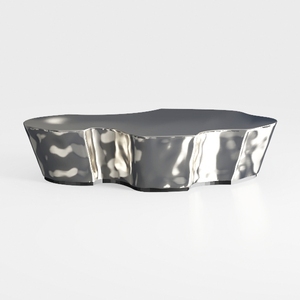

Modern Polished Metal Irregular Shaped Coffee Table 3D Model

Modern Rattan Linen Outdoor Sofa With Decorative Throw Pillows 3D Model

Contemporary Brass Glass Acrylic Side Table 3D Model
Homestyler offers an easy-to-use online home design tool with stunning 3D renderings, inspiring design projects, and helpful DIY video tutorials—perfect for bringing your interior decorating ideas to life effortlessly.
Дизайн сейчас бесплатно
































