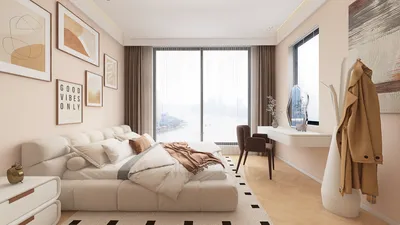


To create stunning visuals using 3D Max, it's crucial to master the render settings. Whether you're focusing on architectural representations or product visualizations, the right configurations can significantly impact your results. This guide will delve into various render settings that will enable you to achieve top-tier outcomes.
Understanding Render Settings
In 3D Max, render settings play a vital role in determining how your scene will be processed and presented. This encompasses elements such as quality, resolution, and various effects. Here’s what you ought to understand:
Selecting the Right Renderer
3D Max provides multiple rendering engines, each with unique advantages:
Modifying Lighting and Shadows
Effective lighting is essential to achieving a realistic look. Keep the following points in mind:
Enhancing with Post-Processing Techniques
Post-processing can significantly enhance your rendered images:
Frequently Asked Questions
A: For beginners, the Scanline Renderer is an excellent starting point because of its user-friendly nature.
A: Reducing quality settings and output resolution can lower render times while maintaining an acceptable level of detail.
A: Absolutely, V-Ray is highly esteemed in the field for its ability to produce breathtaking, photorealistic images.
Built on technology originally developed at Autodesk, Homestyler empowers anyone to design beautiful, realistic spaces in minutes. Join over 18 million users who have already discovered a smarter way to plan, visualize, and bring their dream homes to life — all from the comfort of a browser.
Explore Homestyler for your home design needs.
Дизайн сейчас бесплатно
































