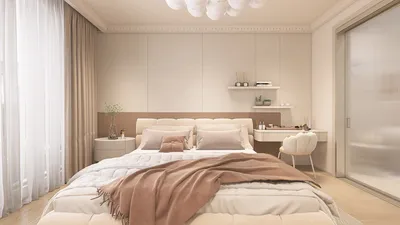


Lighting plays a crucial role in photography, often distinguishing between captivating images and unremarkable ones. However, not every photograph is captured under perfect conditions. Perhaps the sun hid behind a cloud, or indoor lighting casts undesirable yellow hues. Fortunately, improving poor lighting in photos is achievable and simpler than many believe, thanks to innovative smartphone applications and desktop software. As a designer, I frequently assist clients who express dissatisfaction with the lighting in their snapshot interiors. Thankfully, with some straightforward edits, you can transform images that are either too dark or excessively bright into beautifully balanced photos.
Tips 1:
Begin by pinpointing the specific lighting issue at hand. If a photograph appears too dark, enhancing the exposure or brightness within your editing application is a good first step. Many editing tools also feature a "Shadows" slider; increasing this will help reveal dark details without overexposing lighter areas. For images that seem overly bright or washed out, gently lowering the highlights and exposure will help achieve a more harmonious appearance. Color temperature is another frequent challenge, particularly under artificial lighting. Utilize the "White Balance" or "Temperature" adjustment to perfect the image, ensuring whites appear neutral. For those seeking an advanced approach, the HSL (Hue, Saturation, Lightness) panel proves to be very useful for designers aiming to adjust specific color tones individually.
Leveraging a sophisticated tool to visualize your room’s lighting potential before capturing photos can be revolutionary. As a professional, I often rely on advanced solutions like Homestyler. This platform allows you to experiment with various lighting arrangements in a virtual space—whether deciding on the most effective lamp position or simulating natural daylight at different times—ensuring that your interior photographs are inherently well-lit and inviting right from the outset.
FAQ
Q: What’s the simplest method to enhance a photo that appears too dark?
A: Boost the exposure or brightness and lighten shadows using an editing app such as Lightroom or Snapseed. Adjust these settings until details become clear without losing brightness.
Q: How can I eliminate a yellowish hue from indoor photographs?
A: Modify the white balance or color temperature toward cooler tones to offset the yellow tint. Most fundamental photo editing programs include this functionality.
Q: Are there mobile applications available to rectify lighting issues?
A: Absolutely! Applications like VSCO, Lightroom Mobile, and even various built-in photo editors are equipped with powerful tools for managing exposure, highlights, shadows, and color corrections.
Q: Is it possible to salvage overexposed (too bright) photographs?
A: In many instances, yes. By reducing highlights and exposure, and utilizing the "recovery" or "whites" sliders in your editing tool, you can recover lost details as long as the image data wasn’t completely lost.
Q: Why does professional room photography often appear so well-lit?
A: Professionals engage in meticulous planning, utilize external lighting, and apply post-processing techniques. Designers frequently take advantage of tools like Homestyler to predict and enhance lighting before the actual shoot, mimicking real-life illumination for consistently luminous and well-balanced shots.



Homestyler is an invaluable tool for anyone looking to design their living space effortlessly. With its user-friendly online design platform, stunning 3D renderings, a multitude of design projects, and helpful video tutorials, you can unlock your creativity and transform your home into a personalized oasis.
Дизайн сейчас бесплатно
































