


Editing STL files is a crucial competency for anyone involved in 3D modeling, particularly when preparing designs for 3D printing or interior design projects. STL, short for stereolithography, is a file format extensively utilized in 3D printing. These files often require modifications, such as rectifying mesh mistakes, adjusting the scale of objects, or personalizing designs to fit a defined area. The method you choose for editing STL files will greatly depend on the complexity of your project, as well as your level of expertise.
For those just starting out, a beginner-friendly choice is TinkerCAD, which enables you to upload and edit basic STL files easily online. For users seeking more intricate modifications, software such as Blender and Meshmixer provides powerful mesh editing capabilities that allow for reshaping, cutting, and repairing of models. When precision is essential—like planning furniture layout or architectural details—CAD applications like Fusion 360 or SolidWorks become indispensable. Always remember to inspect your mesh for any errors, as flawed adjustments can result in printing failures or functionality issues in your model.
In my role as a designer, I view STL editing similarly to revising a floor plan: it's not solely about altering shapes; it's about ensuring that each change improves both usability and aesthetic appeal. Whether adjusting a decorative component or fine-tuning a custom piece of furniture, utilizing an advanced 3D floor planner like Homestyler can help integrate your STL models into a cohesive interior design, making sure every element aligns perfectly with your overall vision.
Tips 1:
- Always save a copy of your original STL file prior to making any edits.
- Utilize mesh repair features to address holes and non-manifold edges.
- Divide complex models into smaller sections to simplify the editing process.
- Verify the scale of your model to align with actual real-world specifications.
- For efficient collaboration, save your edited files in widely accepted formats like STL or OBJ.
FAQ
Q: What software is most suitable for beginners looking to edit STL files?
A: For newcomers, TinkerCAD stands out as an excellent choice due to its intuitive interface and online functionality. Q: Can I convert STL files into different formats for further modifications?
A: Absolutely, numerous tools can convert STL files to OBJ or STEP formats, which are beneficial for advanced editing in CAD software. Q: How can I rectify errors found in an STL mesh?
A: Programs like Meshmixer and Blender provide automated mesh repair functionalities that can address holes, fix normals, and enhance geometry. Q: Can textures or colors be added to an STL file?
A: Since STL files primarily encompass geometry, you can apply color and textures in software such as Blender before exporting to formats that support these attributes. Q: Why does my 3D print fail after modifying an STL file?
A: Print failures commonly result from mesh errors like non-manifold edges or intersecting geometry, so it's crucial to fix and validate your file before proceeding with printing.
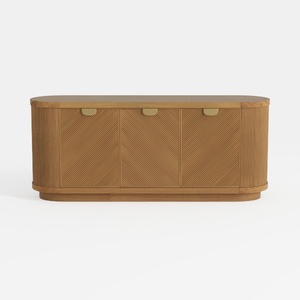
Meridian Furniture 77054Natural Everson Collection

Bookshelf with Storage Bin, 6-Cube Storage
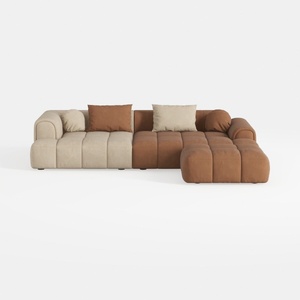
Modern Velvet Sectional Sofa, U Shape Minimalist M
Discover the magic of home design with Homestyler! This user-friendly platform offers a powerful online design tool, stunning 3D renderings, a plethora of design projects, and informative video tutorials. Transform your ideas into reality and elevate your space effortlessly!
Дизайн сейчас бесплатно
































