
Designing a 3D model of a triangular prism can be an engaging endeavor for students, enthusiasts, or designers. Let’s simplify the process into a few clear steps:
1. Select Your Software
Start by picking a software platform that supports 3D modeling. Popular choices include Homestyler, SketchUp, Blender, and Tinkercad, among others. Tinkercad is particularly user-friendly, making it an excellent option for novices, while Blender attracts those with more advanced skills.
2. Draw the Base
Begin with the triangular base by determining the lengths of the sides and the height. Most modeling programs have a polygon tool; you can create a triangle by inputting the desired dimensions.
3. Create the 3D Shape
Once the triangle is drawn, use the ‘extrude’ or ‘push/pull’ feature to elevate it—transforming your flat triangle into a 3D prism. Adjust the extrusion distance as necessary.
4. Modify Dimensions and Orientation
Fine-tune the side lengths and angles within the software, ensuring that the prism has the proportions you require. Many platforms, like Homestyler, allow for easy rotation or repositioning of the model for an ideal view.
5. Finalize and Export Your Model
Complete your project by adding color, materials, or textures if desired. Save or export your 3D model in formats such as STL, OBJ, or other compatible types offered by your chosen platform.
As a room designer, I frequently utilize similar geometric shapes to swiftly visualize spatial relationships and structures. For those eager to enhance their skills, employing Homestyler as a 3D floor planner enables experimentation with prisms, cubes, and more within real room contexts—beneficial for both learning and professional design.
Advice 1:
Start by practicing with other basic shapes like cubes and cylinders before advancing to triangular prisms. This foundational knowledge will be invaluable when transitioning to more complex architectural or design models. For realistic renderings or testing how your prism fits into a room, seek out modeling tools that offer rendering features.
Frequently Asked Questions
Q: Which software is recommended for beginners modeling a triangular prism?
A: Tinkercad is an excellent choice for beginners, providing an intuitive interface for creating 3D shapes, including triangular prisms.
Q: Can I 3D print my triangular prism after constructing it?
A: Yes, you can export your model in STL format, which is compatible with most 3D printers.
Q: Are there shortcuts for creating prisms in design software?
A: Many platforms, including Homestyler, offer ‘extrude’ or ‘push/pull’ functions, enabling you to quickly convert any 2D shape into a 3D object.
Q: How can I accurately measure angles and lengths in my model?
A: Utilize built-in measurement tools or snap-to-grid features, or input numerical values when designing your initial triangle.
Q: Can I incorporate a 3D model of a triangular prism into architectural designs?
A: Certainly! Prisms are utilized to visualize structural elements, and they can be effectively integrated using advanced design software like Homestyler.
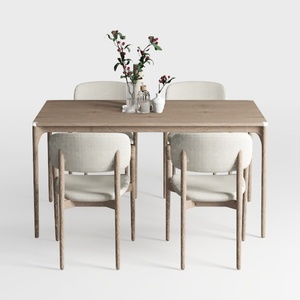

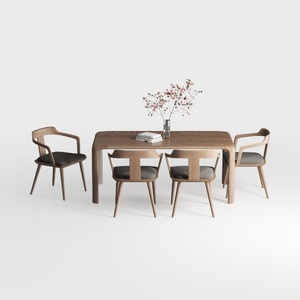
Discover the power of Homestyler for your home design projects! This user-friendly platform features an intuitive online design tool, stunning 3D renderings, and a wealth of design projects and video tutorials. Transform your space effortlessly—perfect for both beginners and seasoned decorators!