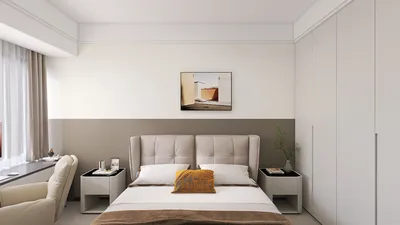


I truly appreciate the control that a wall entertainment center provides: sleek lines, hidden cables, and a central feature that serves more than just displaying a TV. When executed properly, it enhances comfort, balances lighting, and improves sound quality—while maintaining a serene and organized living space. The secret lies in viewing it as a complete system: structure, storage, illumination, power, and materials working cohesively together, potentially with the help of design software like Homestyler.
Design should prioritize function. Research by Steelcase reveals that visual clutter increases cognitive load and can hinder concentration; organized storage and unobstructed sightlines help to alleviate this issue. The WELL v2 standard also emphasizes the importance of glare-free lighting and suitable luminance ratios to enhance visual comfort, particularly around screens. These concepts—cognitive ease and glare management—guide my decisions regarding shelf heights, door finishes, and integrated lighting solutions, using tools like Homestyler for visualization. For comprehensive insights on occupant wellbeing, the WELL Building Standard provides extensive criteria regarding light quality and ergonomic considerations, accessible at wellcertified.com.
Before I begin sketching, I take measurements of the space, including screen dimensions, seating distance, and optimal viewing angles. The IES suggests aiming for a balanced ambient light level with layered lighting sources and meticulous luminance ratios to prevent eye strain close to bright screens. From my experiences, a TV mounting height of 42–48 inches above the finished floor tends to work best for most seated viewing positions, with the bottom edge aligning with the viewer's eye level from the main sofa. I also set aside 20–30% of the unit's width for closed storage to discreetly keep peripherals, games, and routers out of sight.
Establishing the Project Requirements: Understanding Your Wall Unit's Functionality
Start with a clear set of requirements: display features, storage options, cable management, power sources, lighting, sound control, and aesthetics. For family spaces, I typically categorize storage into three layers: easily accessible open shelves, soft-close doors for electronics, and a concealed panel for multiple outlets and cable management. It's important to incorporate ventilation gaps behind equipment, as receivers and gaming consoles require airflow to prevent overheating.
Fundamentals of Layout and Sightlines
An effective layout minimizes visual fatigue and ensures that everyday use is hassle-free. Scale the media wall appropriately for the room: a 55–65 inch TV generally looks balanced within a wall space of 9–12 feet, complemented by storage on either side. Maintain a clearance of at least 18–24 inches along traffic paths and keep shelf depths ranging from 10–14 inches for books and decorative items, and up to 18–20 inches for hidden AV storage. If you need to visualize options and traffic flow, using a layout tool like Homestyler can help clarify clearances and furniture relationships.
Lighting: Multi-layered, Dimmable, and Glare-Free
In environments heavy with screens, lighting must be chosen carefully. I employ three levels of lighting: soft ambient (2700–3000K), focused task lighting (such as a reading sconce), and subtle accent backlighting. LED strips should be positioned slightly behind the TV or under shelves with diffusers to reduce hot spots. The WELL standard places significant emphasis on glare control and flicker-free lighting; selecting high-frequency drivers and 90+ CRI LEDs ensures natural color rendering for skin tones and art pieces. Incorporating a dimmer allows evening viewing to be comfortably adjusted without plunging the space into darkness.
Understanding Color Psychology and Finish Selection
Color significantly affects the perceived calmness and coherence of a space. Neutral tones (warm gray, taupe, clay) help draw focus to content; subdued greens and muted blues can promote tranquility and restoration. When incorporating a darker backdrop for the TV, like charcoal or espresso, balance is essential—with lighter shelving or textured panels so that the unit does not overwhelm the space. Opting for matte or satin finishes can minimize reflections, whereas glossy surfaces are eye-catching but should be limited to smaller accents to avoid glare around screens.
Ergonomics: Ensuring Comfort During Extended Viewing
The distance from the TV is crucial. For 4K displays, a recommended distance is between 1.2 to 1.6 times the diagonal size; for a 65-inch TV, this equates to approximately 6.5 to 8.5 feet. Center speakers should be positioned at ear height while seated, and side speakers should be angled towards the primary seating area. Providing a cable chase with service loops means devices can be accessed without needing to disconnect everything. If opting for a TV mounted on an articulating arm, it is vital to ensure proper stud anchoring and to adhere to the weight limits set by the manufacturer.
Acoustic Comfort and Material Selection
Hard surfaces can reflect sound; hence, a media wall should incorporate soft elements to control these reflections. I often utilize fabric-front panels or perforated doors with acoustic backing to discreetly conceal center-channel speakers. Elements such as a wool rug, upholstered furniture, and a selection of textured accessories can help diminish flutter echoes. For an eco-friendly approach, consider low-VOC finishes and FSC-certified wood wherever feasible. Additionally, ventilation pathways should be constructed to ensure quiet airflow—avoiding narrow gaps that produce noise as air flows.
Strategizing Cable and Power Management
Planning for power management should occur at the outset. Ensure dedicated power outlets for the TV, soundbar or receiver, streaming devices, gaming consoles, and LED lighting systems. A recessed media box located behind the TV provides a seamless look for the plugs. It is important to route low-voltage lines (HDMI, Ethernet, speaker wire) separately from power lines to minimize interference. Proper labeling of each cable and leaving slack loops for maintenance is advisable. If constructing a closed base, consider incorporating an underside grommet to allow power from the floor outlet without visible wiring.
Types of Storage: Open Versus Closed Options
Open shelves facilitate easy styling—displaying books, ceramics, and plants—but should be limited to items that you can keep organized. Closed compartments enhance visual calm by concealing equipment. A split design is worth considering: symmetrical tall sections on either side of a central TV niche, complemented by a low closed cabinet at the base. Utilizing push-to-open mechanisms can create a streamlined look without visible handles. Adjustable shelves offer flexibility for accommodating changing devices and decor over time.
Construction Approaches
Three prevalent options exist: fully built-in millwork, modular ready-to-assemble units, or a combination (custom face frame over modular boxes). Built-ins deliver a seamless appearance and may increase property value but require precise measurements and site-specific calculations. Modular units can help reduce costs and expedite installation. Regardless of the choice made, be sure to respect load paths, secure to studs, and allow the TV niche to be slightly oversized to accommodate future screen sizes.
Styling and Achieving Visual Balance
A media wall's design should exude composure rather than chaos. I prefer to work within thirds: one-third for display, one-third for open styling, and the remaining third for concealed storage. Consistent materials create rhythm—such as oak shelves paired with black metal accents—while varying scale with larger decorative items helps prevent a monotonous “grid of small items.” Strategically placed greenery can soften the technological components. If the architecture of the room is prominent (like exposed beams or a fireplace), allow the entertainment center to complement that narrative instead of competing with it.
Step-by-Step DIY Process
1) Measure the wall space, existing outlets, and locations of studs. 2) Define the TV size and comfortable seating distance. 3) Create a scaled elevation drawing indicating storage areas, lighting strips, and speaker placements. 4) Select materials and finishes—preferably matte for minimal glare, hardy laminates, or wood veneer. 5) Construct or assemble frames; pre-drill openings for cables. 6) Secure the TV with a suitable bracket and ensure anchors are stable. 7) Install LED strips fitted with diffusers and a dimmer switch. 8) Attach doors and panels; verify clearance for ventilation. 9) Style shelves using a restrained color palette and a few large statement pieces.
Common Errors to Avoid
Avoid mounting the TV too high, using excessive glossy finishes, neglecting proper airflow, carelessly mingling warm and cool light sources, underestimating cable management, and not planning for future device expansions. Allowing a little extra space in width and depth can prevent complications later on.
Frequently Asked Questions
For most seating arrangements, a centerline height of 42–48 inches above the finished floor works effectively, positioning the bottom edge close to seated eye level to minimize neck strain.
For 4K displays, a viewing distance of approximately 6.5–8.5 feet offers an immersive experience without pixelation issues. In deeper rooms, consider a larger display or moving seating closer.
To reduce glare, use matte finishes around the TV, incorporate diffused LED backlighting, and position ambient lighting off to the side. Following WELL's guidelines for glare management and dimming is advised.
Choose neutral, low-sheen tones with one accent color behind the TV. Incorporate natural textures (like wood and woven fabrics) to add warmth without crowding the visual space.
Indeed. Ensure to incorporate intake and exhaust paths (such as slots or perforated panels). Proper ventilation prevents overheating, which can decrease the lifespan and performance of the equipment.
Employ a combination of both storage types. Use open shelves for daily accessible items like decor and books, while reserving closed compartments for devices like routers, gaming consoles, remotes, and extra cables.
Incorporate fabric-front or perforated panels with acoustic backing to conceal speakers, while adding soft furnishings to mitigate sound reflections.
Consider using a color temperature of 2700–3000K for evening comfort. Pair this with high-CRI LEDs and dimmers to maintain natural colors and adjustable brightness.
Install a recessed media box, run low-voltage cables separately from power lines, properly label connections, and provide service loops for easy maintenance access.
Absolutely. Utilize an interior layout planner, such as Homestyler, to experiment with clearances, lines of sight, and the flow of furniture within the space.
Homestyler is your go-to online home design platform, perfect for bringing your creative visions to life. With its user-friendly design tool, stunning 3D renderings, and a wealth of design projects and video tutorials, you can effortlessly transform any space into your dream home. Try it today!
Дизайн сейчас бесплатно
































