

Using a timer with your fairy lights remote can notably improve the atmosphere in your home while also promoting energy efficiency. This guide will lead you through the straightforward steps necessary to program your fairy lights with a timer, ensuring they light up your space at just the right moments.
Familiarizing Yourself with Your Fairy Lights Remote
Before configuring the timer, it's essential to get to know your fairy lights remote control. Typically, you’ll find various buttons for power, modes, brightness, and timer functions. Note that timer functionalities can vary by brand, so it’s wise to consult the specific instructions for your fairy lights.
Many remotes come equipped with a distinct timer button or may require cycling through mode options to locate the timer setting. Look for indicators such as “TIMER,” “AUTO,” or “SET TIME.” Proper utilization of this feature enhances your experience with fairy lights, granting you control over when they illuminate your surroundings.
Steps to Set the Timer
1. Activate your fairy lights using the remote. Ensure the lights are operational before proceeding to program the timer.
2. Find the timer button on your remote, often identifiable by a clock symbol. Press it to enter the timer configuration.
3. Depending on your remote model, you may be prompted to select how long the lights will stay on. Common timer durations include 2, 4, 6, or 8 hours. Adjust the duration by using the up or down buttons.
4. Confirm your choice by either pressing the timer button or another confirmation button, based on your remote's design. Generally, the lights will flash, indicating the timer is set.
Verifying Your Timer Configuration
After setting the timer, it's advisable to test it to ensure it works properly. Wait for the specified duration to see if the lights switch off and on according to your settings. This confirmation assures that your timer setup is functional, enabling you to bask in the glow of your decorated space effortlessly.
Establishing a routine can help preserve the magical ambiance in your home while also yielding significant energy savings. If you discover any issues with the lights not functioning as expected, reconsider the remote settings and refer to the user manual for troubleshooting assistance.
Frequently Asked Questions
Q: Is it possible to set different timers for multiple fairy light sets? A: Certainly! If your remotes and lights allow for independent timer settings, you can program distinct timers for each fairy light set.
Q: What should I do if the timer malfunctions? A: First, ensure that the batteries in your remote are new and check the connection to your fairy lights. Occasionally, resetting the settings can rectify any problems.
Homestyler's roots trace back to Autodesk, the global leader in design and engineering software. That heritage lives on in every feature we build. Today, with a community of more than 18 million users worldwide, Homestyler continues to make professional-quality interior design accessible to everyone — from first-time decorators to seasoned architects.

Modern Minimalist Glass Brass Pendant Lamp 3D Model
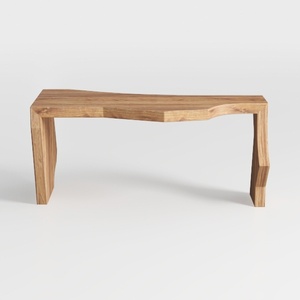

Minimalist Solid Wood Irregular Console Table 3D Model

Modern Brass Glass Globe Wall Lamp 3D Model
Homestyler is the ultimate online home design platform for anyone looking to transform their space. With its easy-to-use design tool, stunning 3D renderings, and a treasure trove of DIY video tutorials, you can unleash your creativity and design your dream home effortlessly!
Дизайн сейчас бесплатно
































