


As technology continues to evolve, the desire to seamlessly integrate devices like the iPhone Ultra into our daily routines inspires new approaches to home design. Creating dedicated charging stations or stylish storage nooks enhances functionality while keeping living spaces organized. Thoughtful spatial planning now embraces tech-friendly furniture that supports both convenience and aesthetic appeal in modern interiors. Using tools like Homestyler can facilitate these innovative design solutions by enabling users to visualize and customize such tech-integrated spaces effectively.
Executive Summary
Examples of floor plan prompts serve as a crucial link between a vague concept, such as "I need a 3-bedroom layout," and an AI-generated floor plan ready for practical use. This article offers actionable prompt templates for various scenarios, including individual rooms, apartments, renovations, real estate listings, and complete home layouts. Additionally, it provides a systematic approach to refining unsatisfactory outputs into useful designs. Readers will discover what constitutes an effective prompt, the necessary input information to gather beforehand, and a stepwise workflow that transforms prompt creation from guesswork into a structured practice. The piece also highlights the limitations of AI-generated layouts in areas such as dimensions, regulatory compliance, and structural decisions, clarifying when professional expertise is essential.
What Floor Plan Prompt Examples Mean
A floor plan prompt example is essentially a reusable textual blueprint that instructs an AI layout generator on the type of floor plan to produce. It generally specifies the number of rooms, estimated sizes, spatial relationships, and style preferences. Unlike unstructured inputs—such as simply typing "modern house" and hoping for a viable result—these prompts provide a tested framework adaptable to individual projects.
Prompts can vary from concise sentences to detailed paragraphs with organized instructions. The difference between an effective prompt and an unproductive one lies in the level of detail. For instance, "3-bedroom apartment, 110 sqm" offers general guidance, but "3-bedroom apartment, 110 sqm, open kitchen connected to living room, master suite secluded from street-facing walls, balcony oriented north" yields a plan that is significantly more evaluable.
Moreover, the concept encompasses the iterative process of constructing and refining prompts: starting with a basic draft, reviewing the AI-generated results, and adjusting inputs until the output meets the desired criteria. This article approaches prompt examples both as templates to replicate and as a teaching method.
When This Workflow Is Useful
Generating floor plans based on prompts is applicable in numerous real-world contexts:
However, this method is less reliable—and potentially misleading—when detailed, permit-compliant drawings, load-bearing wall assessments, or mechanical, electrical, and plumbing (MEP) coordination are required. In such cases, AI-generated outputs should be regarded as preliminary concepts rather than final deliverables.
Inputs You Should Prepare
The quality of your input prompt directly influences the quality of your floor plan. Prior to prompt composition, assemble these key data points. AI cannot invent details you omit.
Spending about 10 to 15 minutes collecting this information can prevent AI results that appear coherent but fail fundamental usability standards—such as hallways that are too cramped, bedrooms opening directly into kitchens, or the absence of reasonable storage.
Step-by-Step Workflow
This seven-step approach guides you from an empty prompt to a layout ready for further professional development:
Quality Checks Before You Trust the Layout
AI-generated floor plans often pass superficial inspections easily—rooms are labeled, furniture appears logically placed, and the image looks convincing. However, believable does not equate to accurate. Before treating the plan as definitive, perform these evaluations:
If more than two criteria are unmet, revisit the refinement stage. Passing all confirms the layout is suitable for consultation with architects, designers, or contractors, though it may still require professional approval for permits.
How It Connects to AI Layout Generation
Floor plan prompts constitute the foundational inputs for broader AI spatial design platforms. After securing an effective floor plan, the natural progression is to import the layout into a comprehensive design environment—to furnish interiors, preview materials, generate 3D walkthroughs, and conduct lighting simulations. The prompt provides the framework; the AI design tool completes the space.
This relationship is reciprocal. A well-tailored prompt results in a layout that integrates smoothly into 3D modeling software with fewer edits. Conversely, viewing a plan in three dimensions can expose prompt shortcomings not evident in 2D visuals—like a window obscured by furniture or a kitchen island obstructing circulation. This iterative loop drastically reduces the timeline from concept to evaluation.
From Layout to AI Home Design
While a floor plan delineates spatial arrangements, a home’s character emerges from how these spaces are experienced. Once your floor plan passes inspection, the AI home design phase adds furnishings, finishes, lighting, and decor. This stage tests functional aspects such as whether an open kitchen feels practical, if the living room seating encourages interaction, and whether your chosen color and material palette performs well under realistic lighting.
Transitioning from prompt-based layout generation to full interior design is iterative. Your design exploration may indicate adjustments—moving a wall slightly or repositioning a door for better furniture placement. This process is expected and beneficial. Prompt examples streamline reissuing the base plan with these tweaks rather than redrawing entirely.
FAQ
1. How detailed should a floor plan prompt be?
Minimal prompts—specifying room count and approximate size—yield outputs that usually require substantial refinement. Strong prompts incorporate spatial relationships, rough room sizes, circulation considerations, and style notes. Think of the prompt as a brief; the more precise it is, the fewer assumptions the AI must make—and the fewer errors that may result.
2. Can one prompt be used across multiple AI floor plan generators?
To an extent. Different generators interpret spatial language based on their training data. Room counts and dimensions generally transfer well. Style descriptors, such as "Scandinavian," "open-concept," or "industrial," often need adjustment per tool. Treat prompt templates as starting points requiring customization for each platform.
3. What is a common mistake in floor plan prompts?
Failing to specify spatial relationships is a frequent issue. Users might list room types but omit how rooms should connect or be separated, or where entry points are located. The AI defaults to average training data layouts that may look plausible but function poorly in the user's context.
4. Is an architect still necessary if using AI-generated floor plans?
Absolutely—for projects involving structural alterations, legal permits, or actual construction. AI-generated plans serve as conceptual tools for brainstorming and early communication. They do not replace essential professional activities like load-bearing calculations, regulatory compliance, MEP integration, or detailed construction documentation. Always allocate budget for expert review before building.
5. How do I address AI outputs that appear good visually but feel inappropriate?
Trust your instincts. Verify dimensions, circulation paths, and privacy zoning using the article’s checklist. The common culprit for "looks good but feels wrong" plans is broken spatial relationships—such as a bathroom opening into a dining room or bedrooms accessed only through kitchens. These are prompt issues, not tool limitations. Enhance your prompt with explicit adjacency and privacy instructions.
6. What's the difference between a floor plan prompt and an interior design prompt?
A floor plan prompt defines the spatial framework—rooms, walls, doors, and adjacencies—while an interior design prompt specifies contents and ambiance—furniture, materials, colors, and lighting mood. They complement each other: use floor plan prompts to nail layout, and interior design prompts to furnish and style the interiors.
Next Step
Begin with a single room or a compact apartment layout. Draft a basic prompt using the recommended inputs, generate a floor plan through your preferred AI tool, and evaluate it using the quality checklist. Expect initial versions to fail multiple criteria—that's normal. Refine your prompt, regenerate, and iteratively improve. The key skill is not perfect first attempts but the ability to interpret AI output and know how to enhance your prompts.

Minimalist Textured Base Glass Top Coffee Table 3D Model
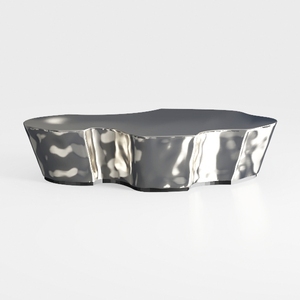

Modern Polished Metal Irregular Shaped Coffee Table 3D Model

Minimalist Boucle Fabric Loveseat Sofa with Throw Pillows 3D Model
Homestyler is an easy-to-use online home design platform that lets you create stunning 3D renderings, explore diverse interior projects, and learn with helpful DIY video tutorials. Perfect for anyone looking to bring their home design ideas to life effortlessly.
Дизайн сейчас бесплатно
































