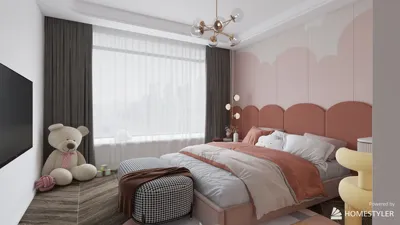
Crafting a 3D representation of a planet is an exciting endeavor that merges scientific exploration with digital creativity. Start by selecting a planet to focus on and gather reference images to comprehend its surface characteristics, color palettes, and atmospheric nuances. There are several popular software options to consider, including Blender, Autodesk Maya, and SketchUp; these tools enable the construction of a basic spherical shape representative of your chosen planet, enriched with intricate surface textures. Begin by shaping an ideal sphere, then utilize high-resolution imagery for realistic texturing. To enhance the authenticity of your model, incorporate bump maps and displacement maps to represent features like craters and mountain ranges. Proper lighting is essential: replicate how the planet interacts with light and think about adding elements such as cloud layers or rings, especially in models of planets like Saturn. As an interior designer, I'm drawn to how even computer-generated objects mingle with their environment and ambiance; the process of designing a 3D planet parallels creating a singular focal point in contemporary decor. If you're in search of intuitive tools to help create custom planetary models or geometric shapes, you may want to explore Homestyler—this platform offers a wealth of 3D assets not just for interior designs but also for imaginative projects of all kinds.
Helpful Tips:
Always refer to material like space images from NASA or ESA to ensure accurate colors and textures. When applying surfaces, focus on the atmospheric layers; subtle variations can add depth and realism to your 3D representation. Experiment with lighting effects and shaders to create realistic sunlight and shadows.
Frequently Asked Questions
Q: Which software is best suited for developing 3D planet models?
A: Blender is widely favored by both novices and experienced users, alongside Maya and SketchUp. These platforms are equipped with features for sphere creation, texture application, and high-quality rendering.
Q: What techniques can I apply to ensure the planet surface appears realistic?
A: Utilize high-resolution textures, implement bump and displacement maps for intricate surface details, and adjust lighting and shadows to replicate true planetary features.
Q: Is it possible to animate a 3D planet model?
A: Absolutely; most 3D modeling software is capable of animating aspects like rotation, orbiting movements, and atmospheric effects to enhance realism.
Q: Where can I access free textures for planet modeling?
A: Websites such as CGTextures and publicly available NASA resources provide free textures and surface maps for planetary designs.
Q: Can interior design software assist in creating planetary models?
A: Yes, several 3D design tools like Homestyler offer comprehensive asset libraries and modeling functionalities that can be adapted for planets and various other creative endeavors.

Homestyler is your go-to online home design platform! With its user-friendly design tool, stunning 3D renderings, and a wealth of design projects plus DIY video tutorials, you can easily create and visualize your dream spaces. Transform your home design journey today!