

Crafting a 3D model turntable is an excellent method to exhibit your designs and captivate your audience. Regardless of your experience level, mastering this technique can significantly enhance your presentations. This guide will provide you with the key steps to create an impactful turntable for your 3D models using tools like Homestyler.
Grasping the Fundamentals of a 3D Model Turntable
A 3D model turntable enables viewers to observe the model from various perspectives, enriching their experience and comprehension. The initial step is selecting suitable software—options such as Blender, Maya, or Homestyler are excellent starting points. Each platform comes with distinct features for fabricating a rotating display.
After you have selected your software, import your 3D model. It's crucial to ensure that the model is correctly textured and optimized for rendering. Any discrepancies with the model's mesh can distort the ultimate turntable presentation.
Developing the Turntable Animation
The next step involves animating your model. Most 3D software offers animation functionalities that allow you to establish keyframes. Start by positioning your model at the desired initial spot.
Set a keyframe at the start of the timeline, then rotate your model to the endpoint, establishing another keyframe in the process. Experiment with rotation speed to create a seamless animation. A typical method is executing a full 360-degree rotation over a timeframe that keeps your viewers engaged without losing their interest.
Incorporating Lighting and Effects
Proper lighting can significantly enhance the presentation of your 3D model. Consider introducing a light source that accentuates the model's key features. Soft shadows can add depth and realism to the visual.
Once you have configured the lighting, you may want to explore different camera angles. A slight zoom or angle adjustment can add dynamism to the presentation, making it more captivating for your audience.
Rendering Your Turntable Animation
After finalizing the animation, it's time to render your turntable. Select the appropriate resolution and format depending on your sharing platform—higher resolutions are preferable for professional portfolios, while lower settings might be sufficient for online uses.
Render the project and save it in a user-friendly format, such as MP4 or GIF, based on your intended application. Always preview your animation to ensure it fulfills your expectations.
Advice for Compelling Presentations
Ultimately, think about how you will present your turntable. Platforms like YouTube or Vimeo offer excellent avenues to share your work with a broader audience. Additionally, integrating your turntable into presentations can effectively illustrate your design process.
During your presentation, remember to solicit feedback. Ask viewers questions about their impressions of the model or any suggestions for enhancements. Encouraging engagement fosters a sense of community and can lead to valuable connections.
Frequently Asked Questions
A: Popular software options include Blender, Maya, and Homestyler, tailored to your specific requirements and expertise.
A: Strive for a duration between 10 to 30 seconds to maintain viewer attention while effectively showcasing your model.
A: Yes, creating a turntable animation that features several models is feasible, but ensure transitions between each model are smooth to maintain consistency.
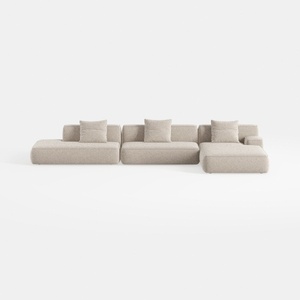
Minimalist Boucle Fabric L Shaped Sectional Sofa 3D Model

Minimalist Linen Fabric Extra Large Sofa With Throw Pillows And Blanket 3D Model
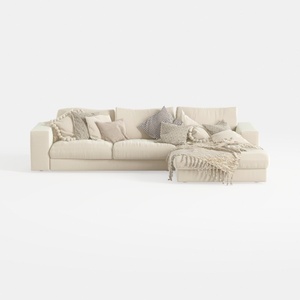
Minimalist Beige Fabric L Shaped Sectional Sofa with Throw Pillows 3D Model
If you're looking to elevate your home design experience, try Homestyler! This user-friendly platform offers an intuitive online design tool, stunning 3D renderings, and a wealth of design projects and video tutorials to inspire your creativity. Transform your vision into reality effortlessly!
Дизайн сейчас бесплатно
































