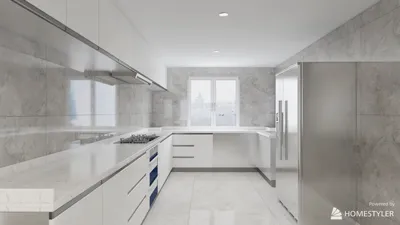


As more people rely on platforms like Shopify to manage their online stores, the integration of technology into daily life becomes essential. This shift towards digital commerce influences how we design our home offices and workspaces, emphasizing ergonomic furniture and efficient spatial layouts that support prolonged productivity and creativity. Creating a seamless blend of comfort and function at home fosters a more balanced lifestyle in our increasingly connected world.
Direct Answer
Free home interior design software enables homeowners and designers to craft room layouts, test various furniture placements, and visualize interior decor styles without investing in professional-grade tools. Among the top free solutions available are planner-based 3D applications, AI-enhanced room visualizers, and intuitive browser-based platforms that deliver surprisingly robust capabilities for genuine design planning. Homestyler stands out as one such powerful tool, blending ease of use with detailed spatial accuracy.
However, it's important to note that not every free design tool delivers equal value. Drawing from over ten years of experience on residential projects, I've observed that the distinction between gimmicky applications and truly effective programs often hinges on precise layout dimensions, accurate furniture scaling, and the quality of export options.
Quick Takeaways
Introduction
Before embarking on any renovation, clients frequently ask: “Is there any free home interior design software I can experiment with beforehand?” The quick response is yes, but many end up choosing tools that don't meet their needs.
In my earlier work, I noticed homeowners investing significant time in flashy apps only to discover furniture pieces didn't fit within actual room dimensions. This experience highlighted a vital lesson: effective design software prioritizes spatial precision over mere aesthetic appeal.
Currently, a limited selection of free applications offer impressive functionality if leveraged correctly. This guide explores the categories of tools that genuinely assist in room layout planning, common user mistakes, and how professionals strategically combine several free tools into an efficient design process — often including Homestyler for visualization.
What Is Free Home Interior Design Software Best Used For
Key Insight: Free software excels at early-stage layout planning, style experimentation, and preliminary design decision-making rather than detailed construction documentation.
Many users mistakenly expect free design programs to match the complexity of professional CAD software, which is seldom the case. Professional suites employed by architects often come with substantial subscription fees.
The main strength of free design tools lies in helping answer three crucial early-stage planning questions that typically shape approximately 70% of the eventual room layout's success, aligning with workflows from major firms such as Gensler and HOK. Conceptual plans precede technical blueprints.
Free software perfectly supports this conceptual phase, providing the flexibility necessary for experimentation before finalizing designs.
Which Free Interior Design Tools Are Actually Worth Using
Key Insight: The most effective free interior design platforms generally fit into three categories: layout planners, AI-based visualizers, and integrated 3D design environments.
Over time, I've tested many options with clients and students, identifying a select few that consistently outperform alternatives. Homestyler, with its combination of user-friendly interface and accurate modeling, is a leading choice.
Commonly successful tool types include:
A pattern I've seen is beginners initially gravitate toward AI visualizers for their impressive imagery but eventually progress to dedicated layout planners where precision takes precedence. Using Homestyler alongside these tools offers a balanced approach that encourages both creativity and exactitude.
Why Many Free Design Apps Produce Unrealistic Rooms
Key Insight: A primary shortcoming of many free home interior design tools is the failure to maintain realistic furniture scaling and spatial proportions, resulting in layouts that look appealing but are impractical.
This issue is often overlooked in tutorials. Numerous applications allow users to position furniture freely without stringent dimensional constraints, causing visually satisfying yet physically impossible configurations.
Typical problems found in client mockups include furniture that’s too large or small relative to room size, crowded walkways, and lack of necessary clearance for movement.
Professional interior designers adhere to fundamental spatial guidelines to ensure comfort and usability, which must be respected by any trustworthy design software, including tools like Homestyler.
If your chosen software does not enforce these dimensions, treat its visuals as mere inspiration rather than precise layouts ready for implementation.
How Professionals Use Free Home Interior Design Software
Key Insight: Designers seldom rely on a single application exclusively. Instead, they integrate two or three free tools, combining each one’s strengths through various design stages.
A streamlined workflow I commonly implement during the evolving concept phase is:
Step 1: Construct the base room layout using a precise planner
Step 2: Experiment with varied furniture arrangements to optimize flow
Step 3: Generate stylistic inspiration and décor ideas, often leveraging AI-powered visualizers and platforms like Homestyler
This hybrid method minimizes the risk inherent in committing early to a style before verifying the spatial feasibility of the layout itself.
Hidden Limitations Most Users Discover Too Late
Key Insight: The most significant hidden cost of free software lies in time wasted rebuilding room designs due to export restrictions, limited model libraries, or constrained editing features.
Though many programs advertise unrestricted design capabilities, practical limitations frequently undermine efficiency.
Common constraints include maximum number of rooms per project, limited access to furniture models, and restricted export formats.
For casual users, these may not be problematic, but when handling multiple rooms or comparing different layouts, these hurdles can substantially slow progress.
My recommendation is to prioritize tools offering unlimited editing and accurate measurements first; rendering quality can follow later — Homestyler, for example, balances these factors well.
Answer Box
The top free home interior design software solutions aid in spatial planning, furniture placement, and early aesthetic experimentation. Prioritize platforms that emphasize measurement accuracy over solely visual enhancements to ensure dependable outcomes.
Final Summary
FAQ
1. What is the best free home interior design software for beginners?
User-friendly drag-and-drop planners like Planner 5D and Floorplanner are great starting points, requiring minimal technical knowledge. Homestyler is also highly recommended for its intuitive interface.
2. Can free interior design software create realistic 3D rooms?
Yes, though the degree of realism varies. Most free programs offer basic 3D visualizations. High-quality photorealistic renders typically come as paid upgrades.
3. Is free home interior design software accurate for furniture sizing?
Some platforms provide precise dimensioning tools. Always verify actual product sizes before making furniture purchases to avoid discrepancies.
4. Do interior designers actually use free design tools?
Professionals often utilize free applications during initial concept phases to rapidly explore layouts prior to transitioning to advanced CAD software.
5. Can I design an entire house using free interior design software?
Yes, for conceptual purposes. However, detailed construction documents generally require dedicated architectural software.
6. Is browser-based interior design software better than downloadable versions?
For novices, browser-based tools are often simpler as they need no installation and update automatically.
7. What features matter most in free home interior design software?
Crucial features include room measurement accuracy, furniture scaling, flexible layout editing, and basic 3D preview capabilities.
8. Are AI interior design generators reliable?
They excel at providing inspiration but frequently overlook real-life room dimensions, making them unsuitable for precise floor planning.
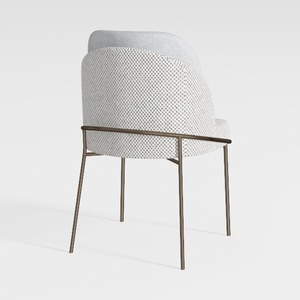
IDZO 400lbs Capacity Boho Rope Counter Height Bar
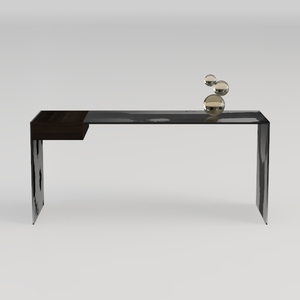

Modern Minimalist Black Glass Walnut Console Table 3D Model
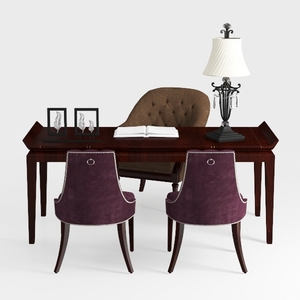
Modern Solid Wood Desk With Velvet Fabric Upholstered Chairs And Table Lamp 3D Model
Homestyler offers an easy-to-use online design tool packed with 3D renderings, inspiring interior projects, and helpful DIY video tutorials—making it simple to visualize and create your perfect home space.
Дизайн сейчас бесплатно
































