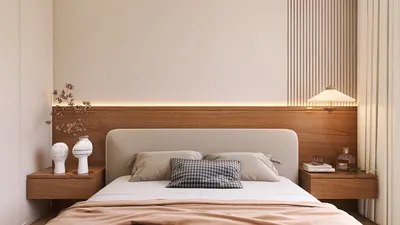


As technology continues to evolve, the desire to seamlessly integrate devices like the iPhone Ultra into our daily routines inspires new approaches to home design. Creating dedicated charging stations or stylish storage nooks enhances functionality while keeping living spaces organized. Thoughtful spatial planning now embraces tech-friendly furniture that supports both convenience and aesthetic appeal in modern interiors. Utilizing tools such as Homestyler, homeowners and designers can efficiently incorporate these smart solutions into their living spaces.
Executive Summary
A 2D floor plan generator powered by AI transforms a rough concept into an editable, dimensioned layout within minutes rather than hours. While it does not substitute for an architect or structural engineer, it significantly accelerates the initial exploration phase of home design. By delivering scalable and modifiable 2D plans, such tools provide a reliable basis for homeowners, builders, and interior decorators before progressing to 3D visualization, contractor negotiations, or permit applications. This article explores the actual outputs of the technology, required inputs, a practical workflow, and quality control measures that distinguish a functional plan from a misleading one.
Understanding 2D Floor Plan Generator AI
A 2D floor plan generator AI is a software that applies machine learning — typically trained on thousands of architectural schematics — to generate room layouts based on user inputs. Unlike static template libraries, the AI synthesizes new plans each time by interpreting parameters such as the number of rooms, total square footage, preferred adjacencies, and lot shape.
Most platforms accept either structured data (dimensions, bedroom count, setback rules) or free-text descriptions. The resulting schematic 2D diagram depicts walls, doors, windows, and room labels with approximate proportions. This acts as an automated preliminary draft: the AI handles spatial logic and conventions, while users refine the draft to meet practical requirements.
Current tools often feature editable wall placement, drag-and-drop resizing of rooms, insertion of doors and windows, layer-based furniture arrangement, and export options including DXF, PDF, or direct conversion to 3D. Some even support image recognition—allowing uploads of floor plan photos or scans to reconstruct an editable 2D project.
Importantly, these tools do not enforce local building regulations, calculate structural loads, coordinate mechanical/electrical/plumbing routing, or verify fire egress compliance. These responsibilities remain with licensed professionals.
When to Use This Workflow
A 2D floor plan generator AI is valuable in several practical contexts:
In all scenarios, the output serves as a schematic for preliminary discussion rather than construction documentation. The primary advantages are speed and iterative capability rather than guaranteed engineering accuracy.
Essential Inputs to Prepare
The effectiveness of an AI-generated 2D floor plan relies heavily on the precision of your inputs. Ambiguous prompts yield generic layouts, whereas detailed, measured information produces actionable plans.
If uploading an existing floor plan image for AI reconstruction, clear it of furniture icons, text annotations, and shading. AI vision systems can misinterpret noisy visuals as structural features—couches might be mistaken for walls. A clean line drawing with uniform wall thickness yields much better results.
Step-by-Step Workflow
The following outlines a practical sequence from initial idea to an editable 2D floor plan. This method assumes software that supports both AI generation and manual editing within the same interface.
Quality Verification Before Sharing Your Plan
Before presenting your plan to contractors, architects, or clients, perform these validation steps:
If any verification fails, return to editing. The advantage of editable AI-generated plans is rapid corrections—adjusting a wall location takes seconds versus redrafting an entire sheet.
Relation to AI Layout Generation
A 2D floor plan is the foundational step for comprehensive home design workflows, and it serves as input to advanced AI layout generation tools. These systems accept an editable 2D plan to create fully furnished 3D scenes, lighting studies, and style variations. The final quality depends directly on the 2D plan's accuracy.
Investing time in a clean and verified 2D plan is worthwhile. When walls and room sizes are correct, AI layout generators can optimize furniture arrangement, experiment with color palettes, and produce photorealistic visualizations. Errors in the 2D base propagate throughout all 3D representations, causing delays and rework.
Consider the 2D generator as the precision tool and the AI layout engine as the creativity driver. Both perform best when integrated properly.
Transitioning from Layout to AI-Powered Home Design
Once a validated 2D floor plan is ready, creating a full design presentation becomes straightforward. For example, utilizing Homestyler platforms enables seamless import of your 2D plan, choice of style preferences, and generation of furnished 3D rooms with customizable materials, lighting, and camera angles. This cohesive process transforms an afternoon of AI-assisted planning into polished, client-ready visualizations—no need for specialized CAD knowledge or additional rendering software.
The handoff from 2D to 3D underscores the importance of editable plans. An AI-generated image resembling a floor plan but lacking modifiability is a dead end. Editable 2D plans remain living documents throughout the design workflow.
Frequently Asked Questions
Q: Can a 2D floor plan generator AI create construction-grade drawings?
A: No. Outputs are schematic, illustrating spatial intent and rough proportions without structural engineering details, MEP coordination, code compliance, or permit-level precision. Licensed architects or draftspersons must convert AI plans into official construction documents.
Q: How precise are AI-generated room measurements?
A: Room proportions and approximate sizes are generally reasonable—bedrooms resemble standard bedroom dimensions, hallways appear hallway-sized. However, exact measurements require manual verification because drawing inaccuracies may occur.
Q: What input format yields the best AI floor plan recognition?
A: A clear, high-contrast line drawing with uniform wall thickness and no furniture symbols, annotations, or shading ensures the highest accuracy. Photographs with distortion, pencil sketches, or cluttered CAD exports reduce recognition quality.
Q: Do 2D AI floor plan tools enforce building codes?
A: Not comprehensively. Some allow setting parameters like setbacks or minimum room sizes, but none reliably enforce fire egress rules, accessibility standards, stair configurations, or window-to-floor area ratios. Compliance requires human oversight.
Q: Can 2D AI plans be used for contractor cost estimation?
A: Only as rough approximations. Without verified measurements, structural details, and material specifications, these plans lack the necessary detail for precise takeoffs, risking significant budget overruns.
Q: Which file formats are supported for exporting editable 2D plans?
A: Most platforms support PDF for sharing, DXF for CAD import, and some offer direct 3D model conversion within the same ecosystem. Certain tools provide DWG export in premium versions. Verifying compatibility before selecting software is advised if you plan to collaborate with architects using specific CAD programs.
Next Steps
Begin with a measured lot sketch and a detailed list of rooms. Generate multiple layout options using AI, select the best candidate, and refine every wall, door, and window placement on the editable canvas. Execute quality checks before sharing the plan with stakeholders responsible for funding or permitting. A well-prepared 2D plan saves time in downstream phases, while a flawed plan can exacerbate errors throughout the design process.

Bush Business Furniture Echo L Shaped Bow Front Of

Modern Black Metal Glass Solid Wood Bookshelf with Storage Drawers 3D Model


Homestyler is a user-friendly online platform offering powerful home design tools, stunning 3D renderings, inspiring design projects, and helpful DIY video tutorials. It’s perfect for anyone looking to create and visualize beautiful interior spaces effortlessly.
Дизайн сейчас бесплатно
































