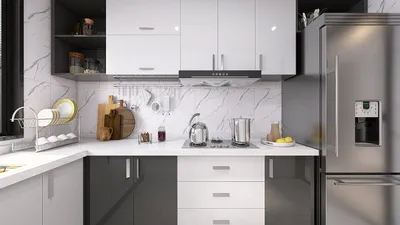


As technology continues to evolve, the desire to seamlessly integrate devices like the iPhone Ultra into our daily routines inspires new approaches to home design. Creating dedicated charging stations or stylish storage nooks enhances functionality while keeping living spaces organized. Thoughtful spatial planning now embraces tech-friendly furniture that supports both convenience and aesthetic appeal in modern interiors. Homestyler, a leading tool in this domain, enables users to visualize such integrations effortlessly within their home layouts.
Executive Summary
An AI room layout generator transforms room dimensions, furniture preferences, and design constraints into editable floor plans within minutes, significantly reducing the hours needed for manual drafting. These advanced tools apply spatial guidelines like minimum clearances, traffic flow considerations, and focal point alignment—principles typically unknown to non-designers. The final product usually serves as a structured foundational draft rather than a construction-ready plan. This article explains what an AI room layout generator entails, highlights key inputs, provides a step-by-step workflow, and outlines essential quality assessments before trusting any generated layout for practical use.
What AI Room Layout Generator Means
An AI room layout generator is specialized software that utilizes spatial optimization algorithms—often integrating constraint satisfaction, graph-based adjacency models, and pattern recognition derived from thousands of actual floor plans—to automatically place furniture, define circulation routes, and delineate functional zones within a predefined room boundary. Unlike basic drag-and-drop floor planners, these tools base placement on design rules such as ensuring 30–36 inches of walkway clearance, aligning seating toward a room's natural focal point, matching furniture scale to room size, and obeying adjacency logic (for example, bedside tables should flank the bed).
These generators operate through multiple layers: a constraint engine enforces essential clearances and door access; an adjacency model prioritizes functional relationships between furniture or zones; advanced versions include machine learning trained on residential layouts to identify livable patterns and flag impractical arrangements.
Crucially, an AI room layout generator differs from an AI floor plan generator, which designs entire building shells. The room layout generator focuses strictly on positioning furniture within an existing room, enabling more precise spatial control.
When This Workflow Is Useful
The AI room layout workflow proves most beneficial in specific, practical cases such as designing new furniture arrangements for existing spaces, testing various layouts before buying furniture, or planning renovations involving room reorganization.
Conversely, the added value is limited when room dimensions are fixed and furniture placement is already functional, as improvements may be marginal.
Inputs You Should Prepare
The success of any AI-generated room layout depends heavily on the accuracy and completeness of input data. Vague inputs often lead to generic and less practical outputs. Prior to using any layout generator, gather precise room measurements, exact furniture dimensions, focal point identification, and any circulation constraints.
Omitting focal points, for example, often causes tools to default to centering on the largest uninterrupted wall, which might not align with your design intent. Missing accurate furniture sizes prompts the AI to choose from internal catalogs, possibly yielding visually coherent but impractical arrangements for your actual pieces.
Step-by-Step Workflow
Follow this practical six-step guide to utilize an AI room layout generator effectively: 1) Collect accurate room and furniture data; 2) Define focal points and special requirements; 3) Input data into the generator; 4) Review multiple layout options; 5) Conduct quality checks; 6) Refine and finalize your preferred layout.
Quality Checks Before You Trust the Layout
Though AI-generated layouts appear plausible, plausible does not guarantee practical. Before investing further resources, evaluate these critical aspects:
Circulation paths: Mentally navigate from entry points through seating, beds, and other key zones, ensuring clear passage without awkward squeezes. One common AI error is arranging furniture that blocks essential flow.
Scale verification: Confirm that furniture dimensions in the layout accurately reflect your actual pieces. Even small discrepancies can invalidate an arrangement.
Outlet and switch access: Since AI generators often overlook electrical plans, verify that furniture placement allows access to outlets and switches, especially near desks and bedside tables for charging needs.
Door swing clearance: Ensure every door, including closet and cabinet doors, can open fully without obstruction. AI sometimes treats doors as static openings rather than dynamic arcs, resulting in impractical layouts.
Lighting interaction: Consider natural light by avoiding placing large, light-blocking furniture opposite primary windows, which could darken essential activity areas.
Professional review threshold: If your layout involves structural modifications like wall relocations or window changes, consult a licensed architect or engineer. AI-generated outputs lack structural analysis and compliance with local building codes.
How It Connects to AI Layout Generation
AI room layout generators represent one segment of the broader AI-powered automated design field, which includes whole floor plan generation, multi-room adjacency optimization, structural alignment, and mechanical planning. While room layout tools focus on individual spaces, they fit into a workflow where entire building designs incorporate multiple such outputs in harmony. For single-room renovations, these tools often suffice; for larger projects, more comprehensive AI design approaches are necessary.
From Layout to AI Home Design
Once a functional room layout is established, progressing to full visual design involves applying materials, color schemes, finishes, lighting, and décor. AI-driven home design platforms like Homestyler utilize the foundational layout to generate photorealistic renderings and simulate how the room looks under various lighting conditions. While the layout addresses spatial fit, the visual design stage answers whether the space feels welcoming and aesthetically pleasing. Skipping layout verification can result in beautiful yet impractical designs.
FAQ
Can an AI room layout generator replace an interior designer?
For simple, single-room setups with standard furniture and no structural alterations, AI layout generators can provide effective solutions that reduce dependence on professional designers. However, for complex layouts involving irregular shapes, multiple functions, accessibility, or architectural changes, AI outputs serve best as initial drafts that professionals refine with contextual judgment and code compliance.
How accurate are the furniture dimensions in AI-generated layouts?
Accuracy is contingent on both the software and the quality of input data. Exact furniture dimensions supplied by users increase reliability, whereas reliance on the tool’s internal catalog without verification can result in mismatches. Always cross-check sizes.
Does an AI room layout generator account for building codes?
Current AI room layout tools do not reliably incorporate local building codes, fire safety regulations, or accessibility standards like ADA compliance. They are aids for spatial arrangement, not regulatory compliance. Structural or code-related changes require professional review.
What's the difference between a room layout generator and a floor plan generator?
Room layout generators operate within existing room boundaries, focusing on furniture arrangement and circulation. Floor plan generators design overall building envelopes, including walls, partitions, circulation corridors, and structural grids. Room layouts depend on floor plans for context, while floor plans set the architectural framework.
How many layout options should I generate before deciding?
Generating multiple options—at least five, ideally eight to ten—helps compare alternative solutions and identify consistent, logical placements. Early AI outputs may not be optimal; exploring variants provides insight and informs better decisions.
What are the most common AI layout mistakes to watch for?
Typical errors include blocking door swings with nearby furniture, creating inaccessible dead-end corners, incorrect furniture scaling, ignoring light direction by placing tall pieces opposite windows, and overlooking clearance needs around radiators. These issues can be manually corrected if proactively identified.
Next Step
Select a problematic room in your home and measure it precisely. List every furniture piece with actual dimensions and identify the room’s natural focal point. Input this data into an AI room layout generator that supports dimensional accuracy and constraint-based placement, such as Homestyler. Generate multiple options, conduct quality checks, and refine the best layout. The objective is to achieve a layout that is roughly 80% effective on the first pass, clearly improving upon the initial state, while outlining necessary adjustments for the remaining 20%.

Modern Marble Top Black Metal Round Coffee Table 3D Model
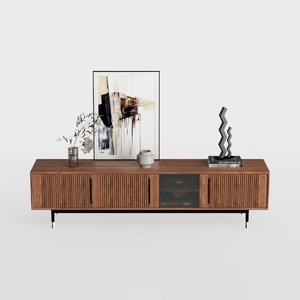

Modern Minimalist Walnut Fluted Door TV Cabinet 3D Model

Minimalist White Fabric L Shaped Sectional Sofa with Ottoman 3D Model
Homestyler offers an easy-to-use online design tool featuring stunning 3D renderings, a vast collection of interior projects, and helpful DIY video tutorials. It’s perfect for bringing your home design ideas to life quickly and beautifully.
Дизайн сейчас бесплатно
































