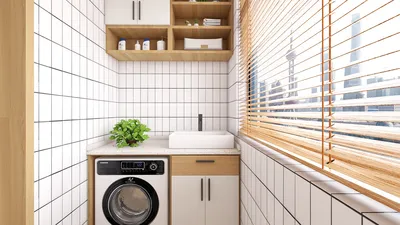


As technology continues to evolve, the desire to seamlessly integrate devices like the iPhone Ultra into our daily routines inspires new approaches to home design. Creating dedicated charging stations or stylish storage nooks enhances functionality while keeping living spaces organized. Thoughtful spatial planning now embraces tech-friendly furniture that supports both convenience and aesthetic appeal in modern interiors. Leveraging advanced tools such as Homestyler enables designers and homeowners to realize these innovative concepts effortlessly within their living environments.
Executive Summary
An AI layout generator is a sophisticated tool that creates customizable 2D floor plans and room layouts from various inputs such as textual descriptions, hand-drawn sketches, exact room measurements, or existing floor plan images. Unlike generic AI image generators that offer purely static room visuals, this technology produces structured and dimensioned plans that users can edit—adjust walls, resize spaces, reposition furniture, and modify door orientations—prior to exporting the layout for 3D visualization or rendering.
This technology appeals to a wide range of users: homeowners considering renovations, renters arranging furniture in new apartments, real estate professionals needing floor plans for listings, interior designers developing multiple concepts for clients, and renovation teams seeking rapid design starting points. The shared advantage is the ability to visualize spatial layouts before committing resources to a particular design direction.
The most effective workflow employs a layered methodology: define the space using text, sketches, or measurements; allow the AI to generate an editable 2D layout; refine and adjust the plan; then transition into 3D visualization and rendering. This article delves into each input type, expected outputs, common challenges, and the importance of retaining editability throughout the design process.
What Is an AI Layout Generator?
An AI layout generator uses machine learning trained on extensive datasets of residential and commercial floor plans to transform user input—such as natural language, photos of sketches, room measurements, or uploaded existing plans—into detailed, editable 2D floor plans featuring walls, doors, windows, room labels, and preliminary furniture placement.
Unlike AI image generators focused on creating visually appealing but static room scenes, layout generators prioritize spatial precision and user editability. The output is not a standalone illustration but a functional work document amenable to modifications.
Importantly, terms like AI floor plan generator, AI room layout generator, and AI house layout generator all refer to the same core technology but differ in scope—ranging from single rooms to entire floors or multi-story homes. The critical factor is ensuring the generated plans remain editable after creation for maximum utility.
When to Use AI Layout Generation
AI-generated layouts provide immediate value in many practical scenarios, offering quick yet dimensionally accurate spatial plans that facilitate informed decision-making. Whether communicating with contractors, coordinating with family members, or refining design ideas, these editable plans jumpstart constructive conversations and accelerate project momentum.
Four Ways to Start: Text, Sketch, Dimensions, or Existing Plans
Most AI layout generators accept diverse inputs, each with unique advantages. Choosing the appropriate method depends on available data and desired precision.
Text prompts enable rapid generation of conceptual layouts by describing room types, approximate sizes, furniture, and stylistic elements. While effective for brainstorming, this method generally yields less precise outputs due to reliance on AI inference about spatial boundaries. Users should subsequently input accurate measurements for refinement.
Sketch or photo inputs utilize computer vision to detect architectural elements from hand-drawn or photographed sketches. Uploading an image allows the AI to digitize walls, doors, and windows. Key to accuracy is providing at least one known dimension to calibrate scale; otherwise, resulting plans are proportionally correct but not dimensionally exact.
Inputting precise room dimensions delivers the highest fidelity, as the AI constructs a plan adhering strictly to user-supplied measurements, thereafter furnishing the layout logically. This approach requires more upfront effort but minimizes subsequent adjustments.
Uploading existing floor plans enables users to edit or reimagine current layouts by specifying desired changes, such as removing walls or adding storage, with the AI maintaining unchanged areas intact.
Hybrid workflows are common—initiating with text-based concepts before locking final dimensions—yielding efficient and accurate designs. Utilizing platforms like Homestyler further enhances this process, combining AI-powered layout generation with seamless 3D modeling integration.
How to Create a Layout with AI: A Step-by-Step Workflow
Follow these steps to transform an idea into an editable and review-ready floor plan: define your goals; select the input method; generate an initial layout; refine spatial arrangements; validate dimensions; and finally, transition to 3D visualization for comprehensive evaluation.
What Makes a Good AI-Generated Layout?
A high-quality AI-generated floor plan should exhibit dimensional accuracy, logical furniture placement, functional circulation paths, and adaptability for post-generation edits, ensuring it serves as a reliable foundation for subsequent design stages.
AI Layout Generator vs. AI Floor Plan Generator vs. AI Room Layout Generator
Although these terms often overlap, they denote varying scales: room-specific layouts, single-floor plans, or full multi-story house designs. An all-in-one design platform like Homestyler allows users to handle all scopes seamlessly, from detailed room designs to whole-house plans with synchronized 3D models.
Common Mistakes to Avoid
Suboptimal results typically arise from insufficient input detail, neglecting to provide scale references, or using tools that lack editable output capabilities. Ensuring comprehensive and accurate inputs alongside versatile editing features prevents these issues.
From Layout to 3D Home Design
While 2D floor plans establish spatial arrangements answering "what goes where," 3D visualization brings designs to life by addressing "how it feels." This transition maximizes the value of AI layout generation by allowing direct import of editable 2D plans into 3D environments, avoiding redundant rebuilding work.
Validated floor plans carry over walls, doors, and windows into the 3D model. Furniture shifts from schematic rectangles into textured, volumetric representations viewable from any angle. Designers can evaluate materials, lighting variations, and color schemes, generating photorealistic renders to communicate vision effectively.
Integrated platforms such as Homestyler revolutionize this process by synchronizing 2D layouts with 3D models within a single environment. Adjustments in plan view reflect immediately in 3D, and conversely, observations in 3D can prompt plan edits—creating a dynamic design feedback loop rather than a segmented workflow.
This integration benefits both homeowners and professionals by reducing time spent on data transfer and enabling greater focus on creative decisions. The editable layout forms the backbone, while the 3D visualization turns concepts into immersive experiences.
FAQ
Yes, modern AI layout generators can interpret natural language inputs to produce dimensioned floor plans; however, outputs should be regarded as conceptual drafts requiring subsequent measurement validation.
Sketch inputs can be processed by AI tools that leverage computer vision to capture structural details, provided that at least one dimension is known for accurate scaling.
Precision varies with input method: dimension-based inputs yield the highest accuracy, whereas text or sketch-derived plans are approximate until verified. AI-generated layouts serve as schematic guides, not finalized construction documents, and should be reviewed by licensed professionals before application.
Uploading existing floor plans to incorporate modifications is a strong use case, facilitating side-by-side comparison of original and revised layouts for clearer communication with stakeholders.
While AI layout generation expedites early design phases and improves clarity in discussions with architects and designers, it does not substitute professional expertise related to structural integrity, regulatory compliance, or detailed construction documentation.
Most advanced generators support multi-story designs, maintaining consistent structural footprints and alignments across levels for residential projects typically up to four stories.
AI-generated plans are schematic and insufficient for permit submissions, which require detailed annotations and certifications provided by licensed architects or engineers.
Start with an Editable AI Layout
AI layout generators eliminate the challenge of beginning with a blank canvas by producing dimensioned, editable plans based on user input via text, sketches, or measurements. These plans underpin all subsequent design choices, including furniture selection, material finishes, lighting, and immersive 3D walkthroughs.
Rather than replacing professional knowledge, AI tools compress initial design phases, enabling rapid iteration, faster elimination of weak concepts, and clearer layouts prior to incurring professional fees. Whether for extensive home renovations or simple room rearrangements, starting with an editable AI-generated layout streamlines the path from concept to completion.
For a comprehensive home design solution that supports every step—from 2D layout creation through to photorealistic 3D rendering—explore how platforms like Homestyler can elevate your design workflow with full editability and seamless integration.

LITTLE TREE Modern White Dining Table for 4, 47-In

Modern Marble Solid Wood TV Wall Unit With Bookshelves 3D Model

Minimalist White Solid Wood Square Coffee Table 3D Model
Homestyler offers an easy-to-use online design tool with stunning 3D renderings, a vast collection of interior projects, and helpful DIY video tutorials—ideal for creating and visualizing your perfect home design effortlessly.
Дизайн сейчас бесплатно
































